Custom software for party and tool rental companies: a booking demo
We built a working web app for a made-up equipment rental shop in Austin, TX. Customers pick dates, see what is free and pay a deposit. The owner tracks each item from pickup to return. The app works out late fees, damage fees and deposit refunds. The shop rents tools, party and event items, camping gear and lawn and garden equipment. All data and payments are fake.
This is a demo we built to show our quality. It is not client work.
What this app is built to fix.
Many small rental shops take bookings by phone, WhatsApp and Instagram. That causes trouble. We built this demo around five common problems:
- Bookings arrive in many places, and double bookings happen.
- Nobody can quickly see what is free on a given date.
- Deposits, late fees and damage charges are worked out by hand, and then argued about.
- Returns are forgotten.
- There is no simple record of who rented what.
These are the problems we designed for. This is a demo, so we have no measured results to share.
What each person can do.
For customers
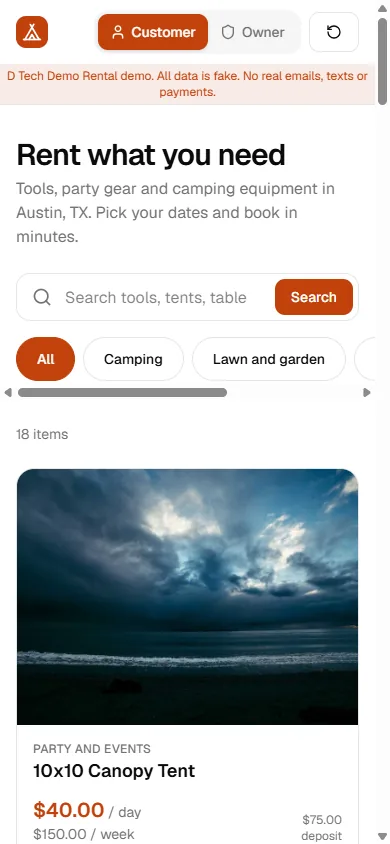
- Browse a catalogue with category buttons and a search box.
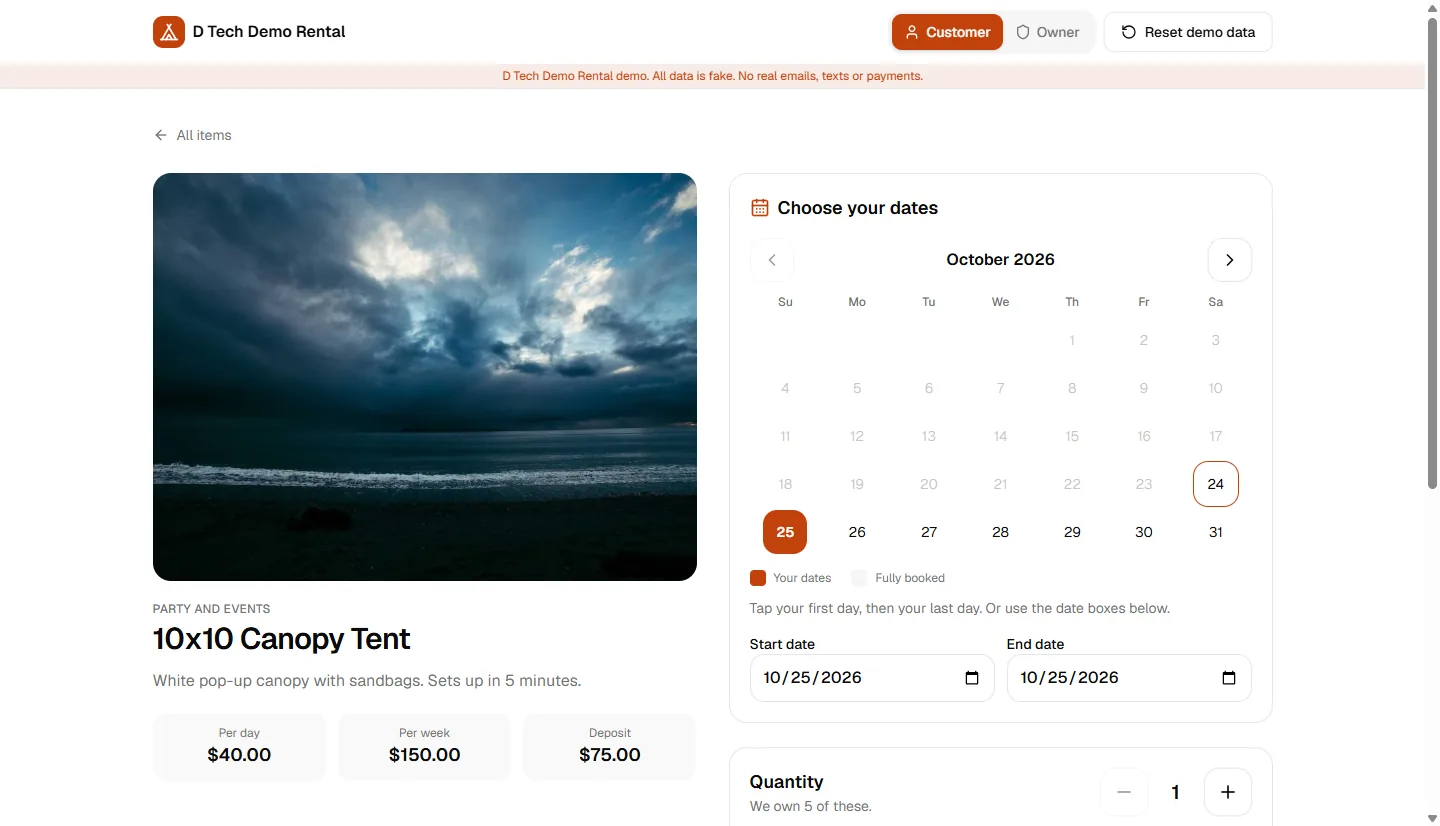
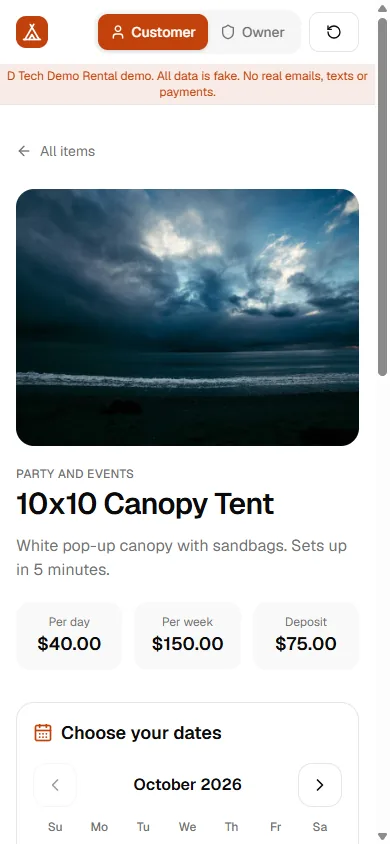
- Open an item to see a month calendar. Fully booked days are greyed out.
- See a live price that updates as dates and quantity change. It shows rental, delivery, tax, deposit and total. Weekly rates apply to longer rentals.
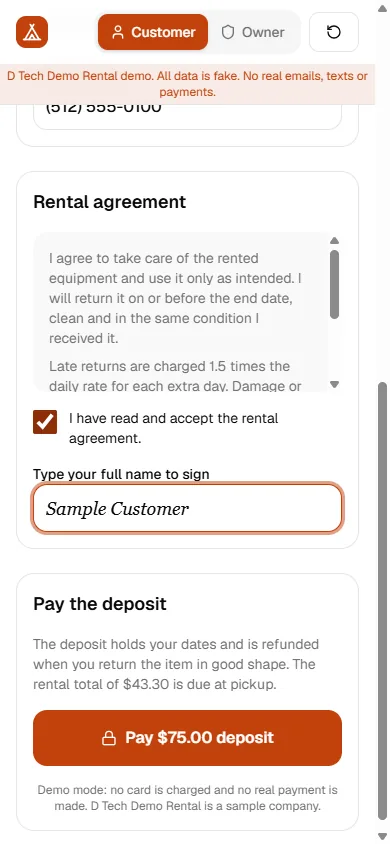
- Check out with contact details, an agreement checkbox and a typed-name signature, then pay a fake deposit.
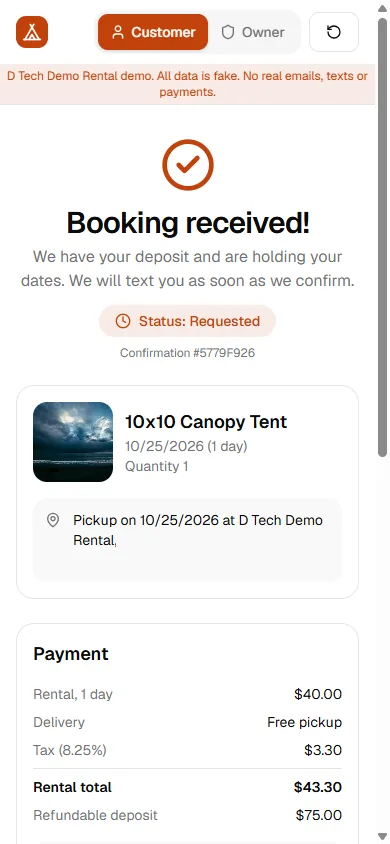
- See a confirmation page. Repeat customers are matched by email, and customers flagged "do not rent" are refused online.
For the owner
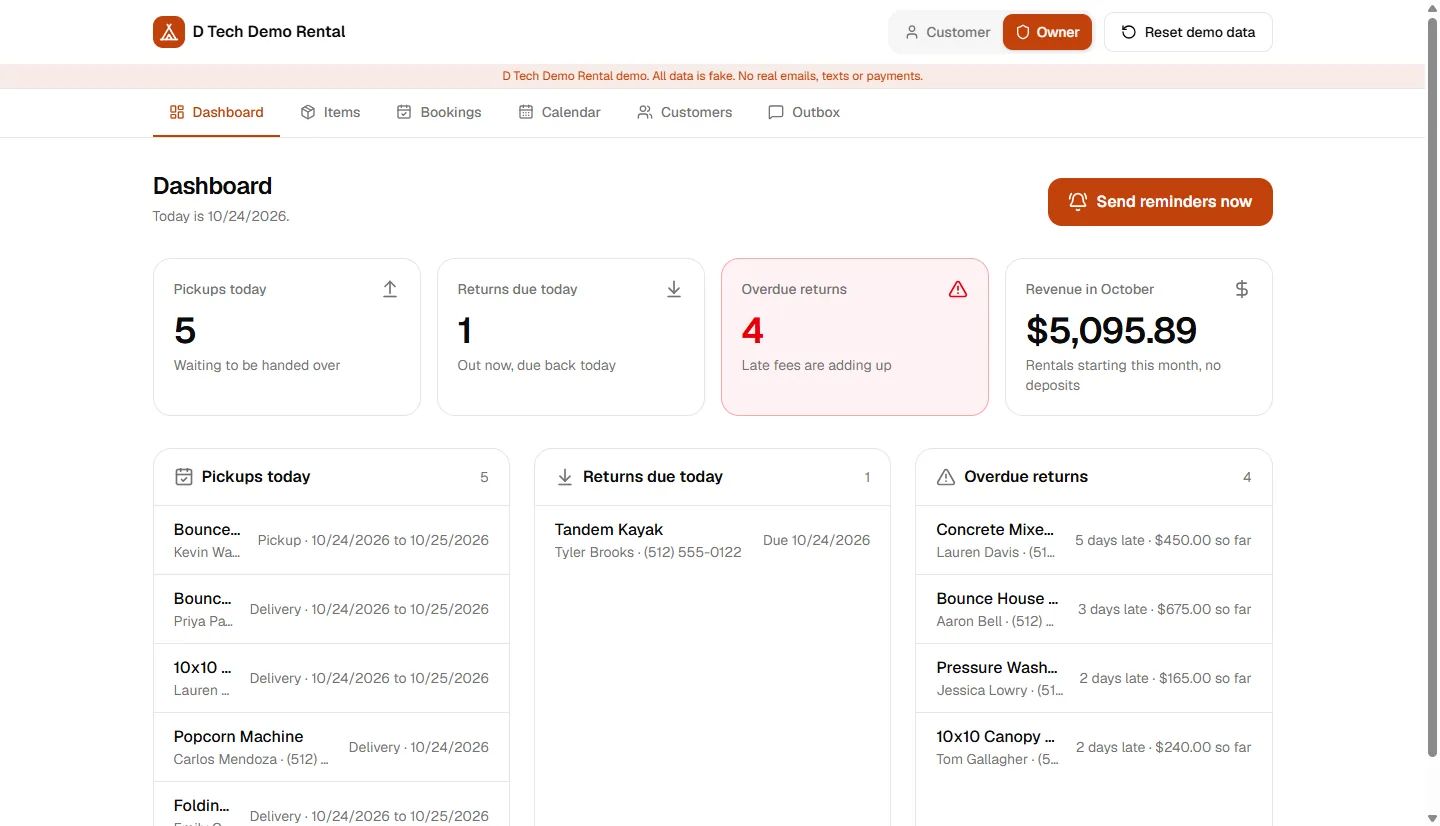
- See pickups today, returns due today, overdue returns with the late fee so far, and revenue this month.
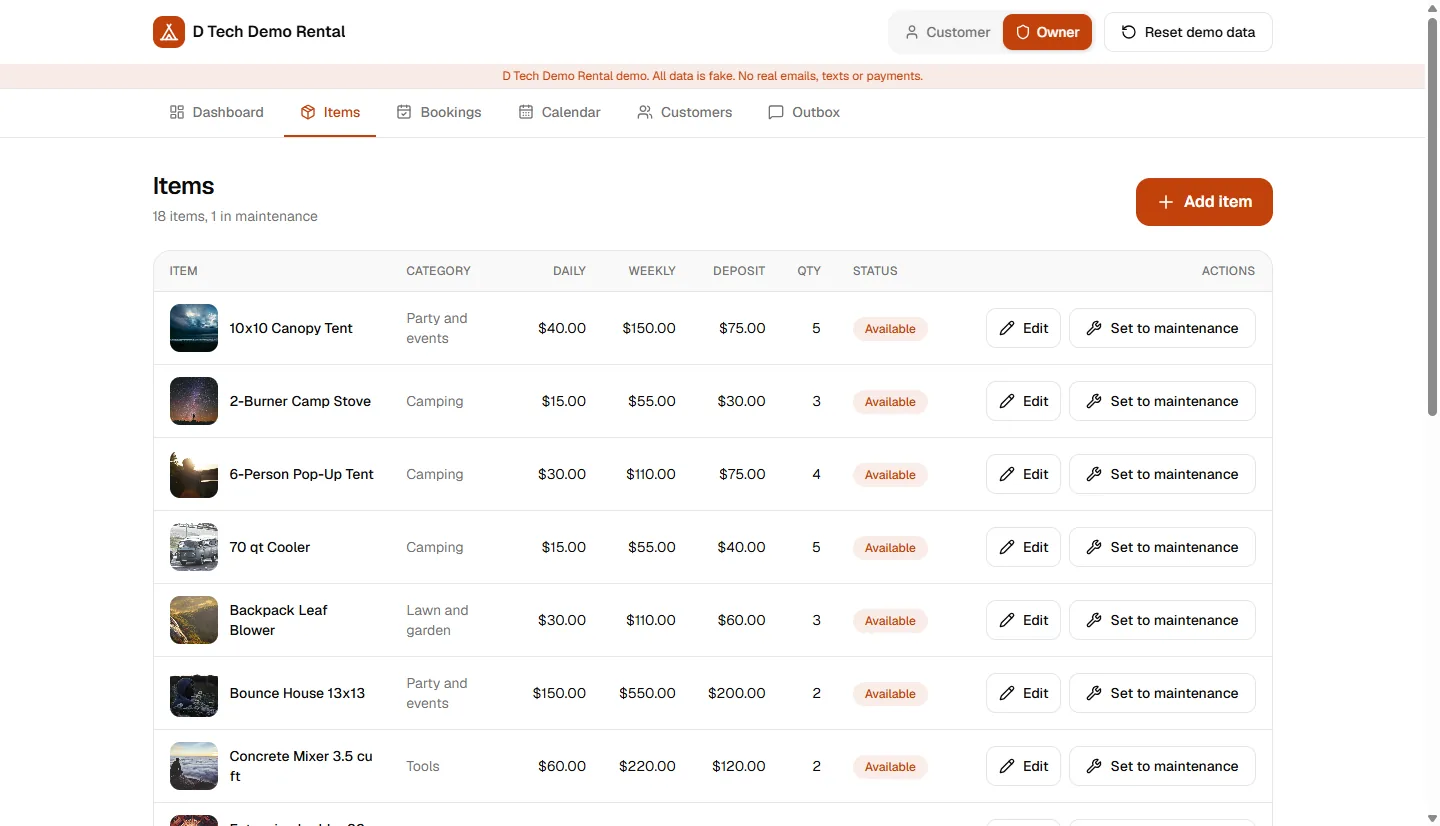
- Add and edit items, set prices and stock, and put an item into maintenance so it cannot be booked.
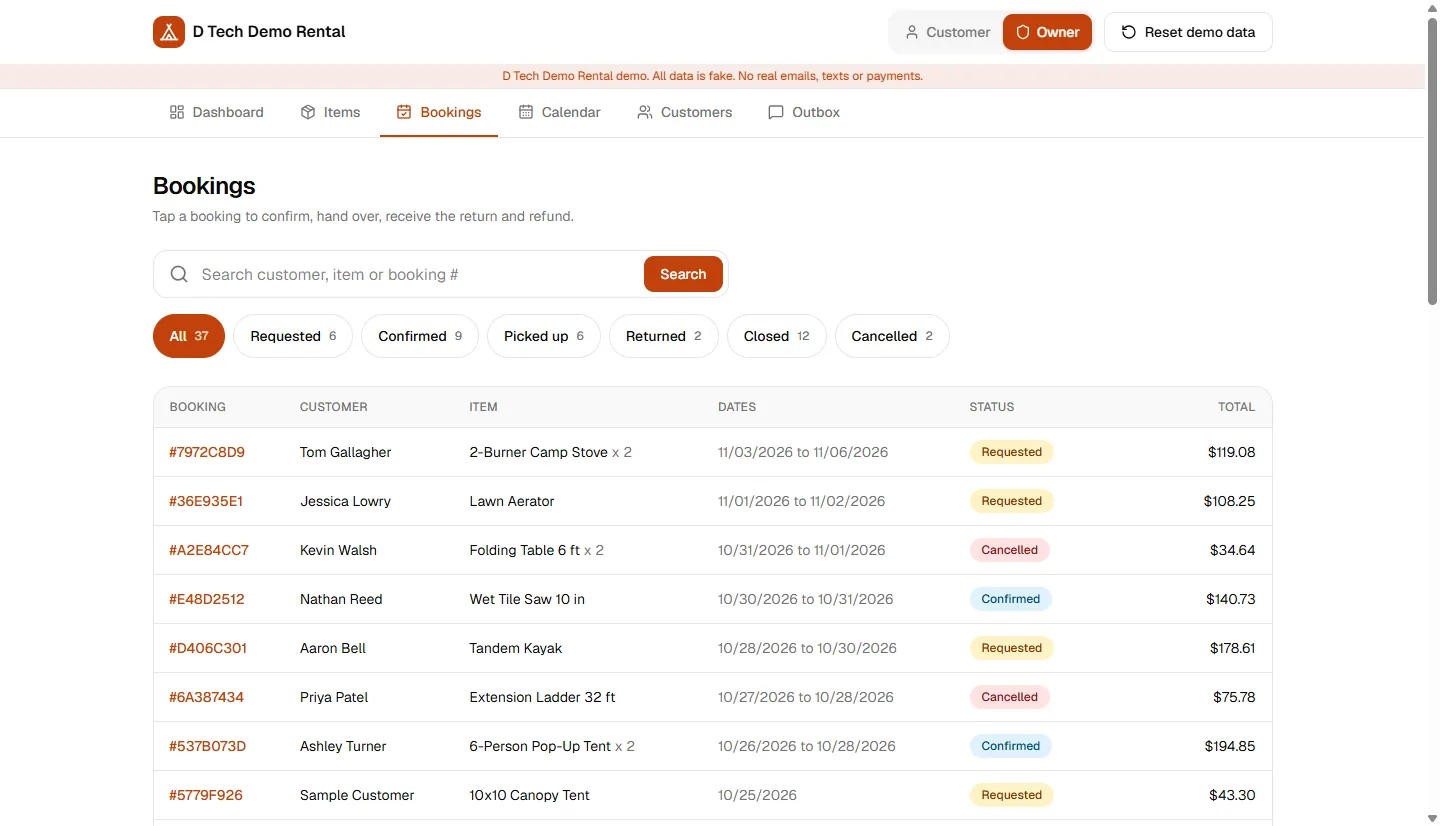
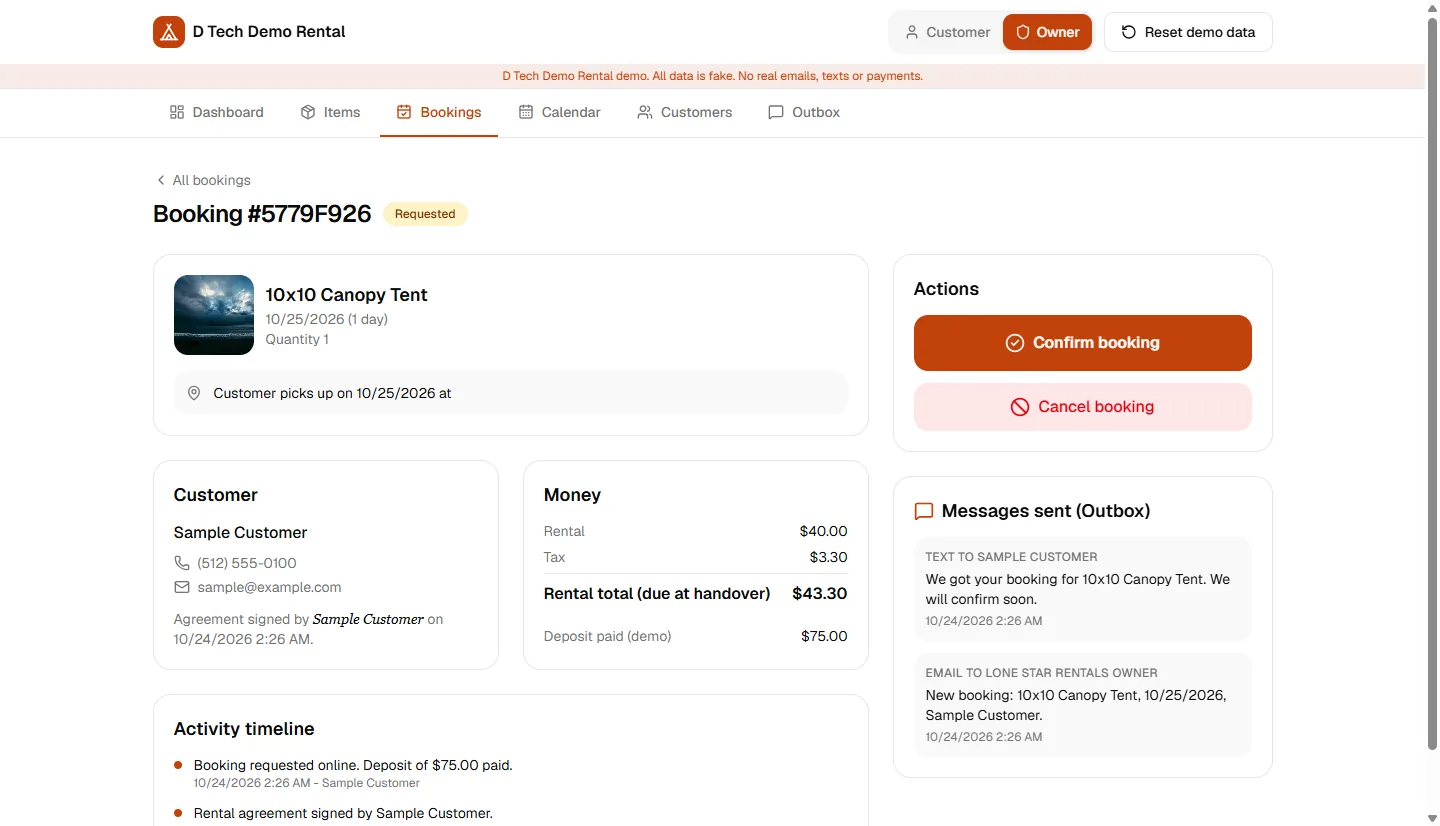
- Move each booking through Requested, Confirmed, Picked up, Returned, Closed or Cancelled. Only the allowed buttons show for each status.
- Let the app work out the late fee and the deposit refund when an item comes back. You add any damage fee.
- Read every booking on a timeline with fees, signed agreement and messages sent.
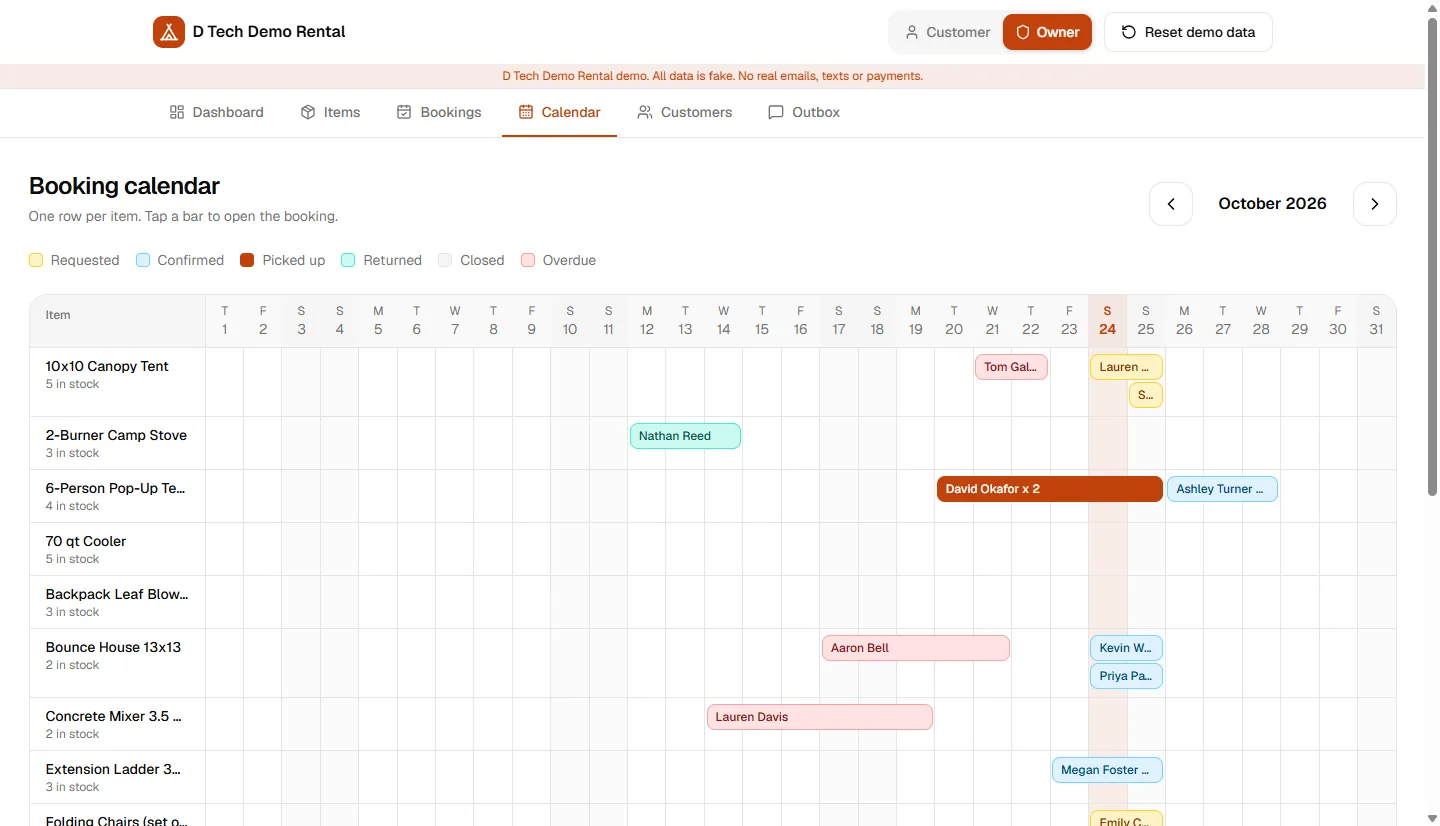
- Spot gaps and busy weekends on a booking calendar with one row per item.
- Keep customer notes and a "do not rent" flag, with each customer’s rental history.
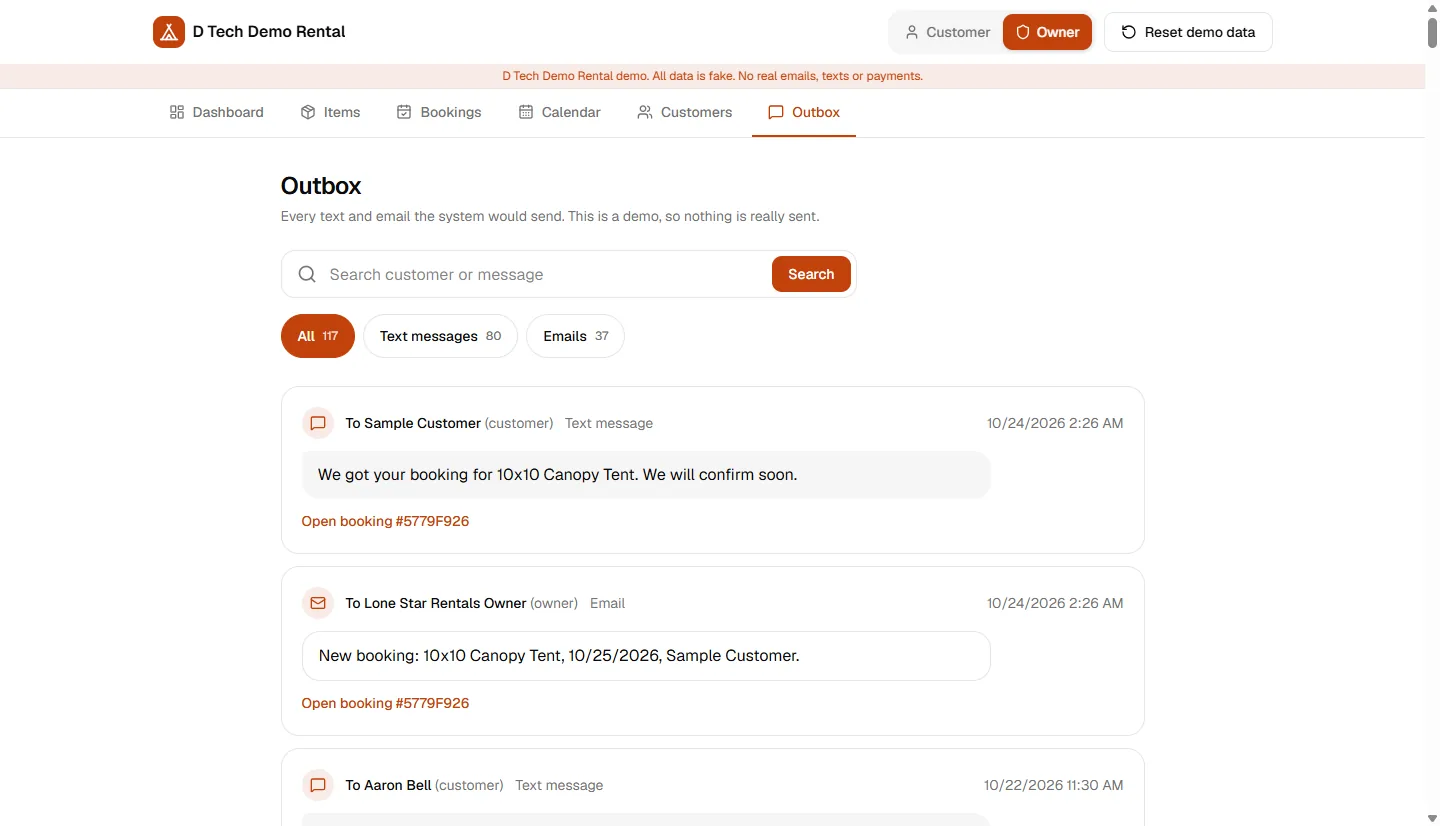
- Press "Send reminders now" to create texts for tomorrow’s pickups, tomorrow’s returns and overdue items. Read them in the Outbox.
A look at the screens.
Every name, phone number and email in these screens is sample data.
On a phone
The stack and a few details.
Business rules in small, tested modules
All pricing sits in one module and all availability in another. Screens and routes call them and never repeat the maths. As of October 23, 2026, the project has 49 passing tests across 6 test files.
The server re-checks everything
Checkout recomputes the price and re-runs the availability check on the server, so the browser is never trusted. The late fee is also recalculated on the server when an item is returned.
Safe status changes
Each owner button re-checks the booking’s status and updates it only if it is still the old one. If two people click at the same moment, only one change wins.
Money in cents, dates in local time
Prices are converted to cents before adding and rounding, which avoids rounding errors. "Today" follows the shop’s own time zone.
What is fake or not built yet.
This is a demo, not a finished product. Here is what to know before you judge it.
- Everything external is fake. There is no real text, email or card payment, and the deposit payment just records the deposit as paid.
- There is no login. Anyone can open the owner screens and every owner action.
- The double-booking check is not atomic. In plain words: the app first checks that the item is free, then saves the booking, and these are two separate steps. If two customers press the button at the very same moment, both could get through. We have not tested this. A real shop would need an extra safeguard in the database.
- Tests cover the pricing, availability, calendar, dashboard, reminder and workflow logic. There are no screen or database tests.
- Reminders run only when the owner presses a button. There is no schedule.
- Promo codes, damage photos and a utilisation chart are not built.
- The item photos are random stock images and do not match the items.
- The demo uses one shared database with fake data. A Reset button wipes it and restores the starting data.
Open the live demo.
The demo runs online with fake data. There is no login. Use the role switch at the top to move between the customer, owner and technician views. Everyone shares one database, so other visitors may change what you see. Please do not type real personal details.
Want something like this for your business?
Book a free call. We will ask about your work, tell you what we would build first and give you an honest answer on whether we are the right fit.
Common questions about this demo.
Yes, in the demo. A customer picks dates, sees the price, signs the agreement by typing a name and pays the deposit. The payment is fake. Real card payments are extra work that we would scope with you.
The item page greys out fully booked days. At checkout, the server checks again. A request that goes over stock on any day is refused with a clear message. For a real shop we would add a database rule as a second guard.
Yes. In the demo, the late fee is 1.5 times the daily rate, times the quantity, for each late day. The refund is the deposit minus the late fee and any damage fee, and never below $0. Your shop’s rules can replace these.
Yes. One settings file holds the company name, colour, logo, tax rate, delivery fee, phone, address and time zone. Items and prices are managed on the Items screen.
In the demo, messages are saved to an Outbox and not sent. Sending real texts and emails needs a provider and extra work. Reminders are also manual for now: the owner presses a button.
It depends on your rules and what you need to connect. We built this demo as a sample, so we have no build time or price to publish for it. Book a free call and we will scope your shop and give you an exact number first, or try the cost estimator.
Related links.
- See our other demo project: HVAC Job Management App
- Get a rough range for your idea with the free web app cost estimator
- Read: Custom Web App Cost in 2026: Pricing & Scoping Guide
- Read: How Long Does It Take to Build an MVP? Timelines by App Type
- Browse all our work
Written by Dharanidharan S. Last updated .