You've got a business idea - or an existing business that needs a stronger digital presence. You know you need something built. But somewhere between your first conversation with a developer and your second invoice for a discovery workshop, a question starts nagging you: am I building the right thing?
The website vs web app decision trips up founders and business owners more than almost any other early-stage call. Get it wrong and you either overspend on complexity you don't need, or you underbuild and hit a wall six months later when your product needs features your "brochure site" simply can't support.
This guide gives you a clear, practical framework for making that decision - no fluff, no jargon spiral. By the end, you'll know exactly which one fits your goals, your budget, and your timeline.
What's the Actual Difference Between a Website and a Web App?
People use these terms interchangeably, but they describe fundamentally different things.
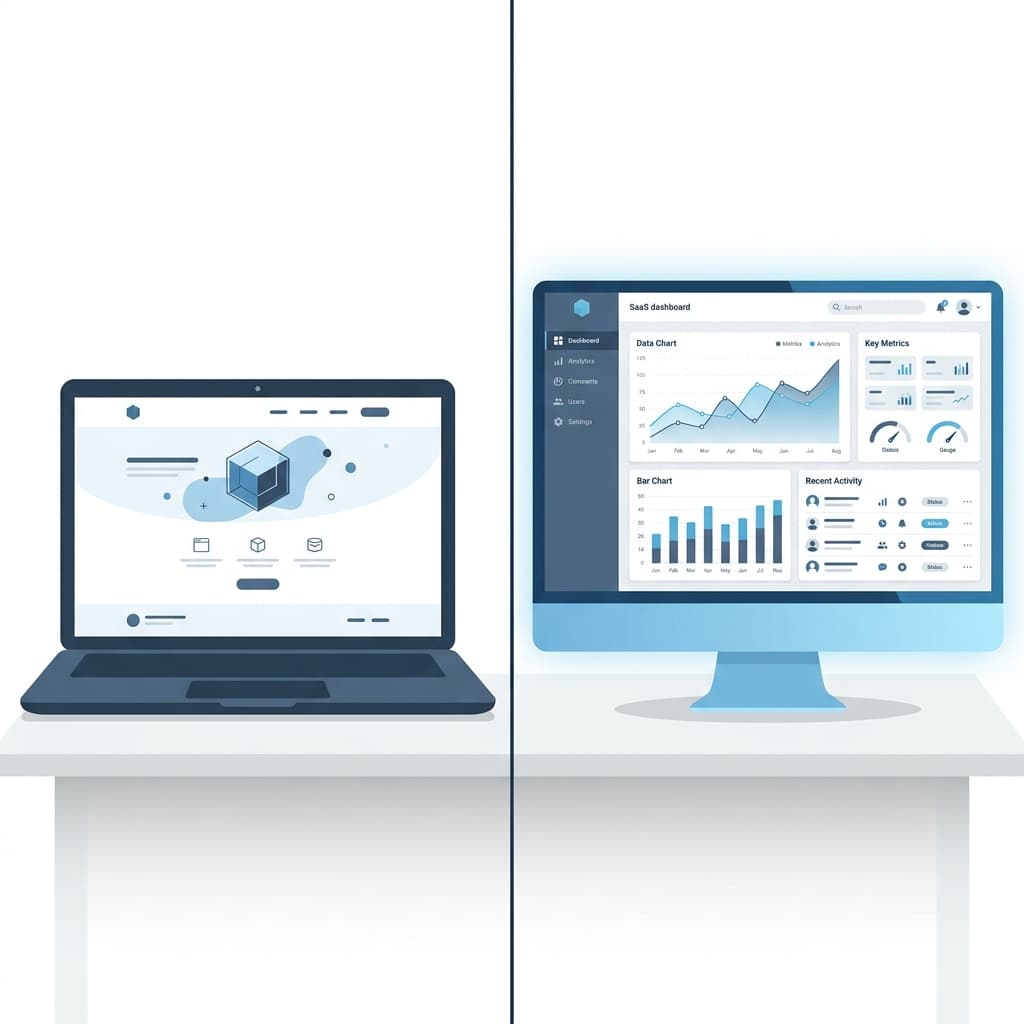
A website is primarily a content delivery tool. It presents information to visitors - who you are, what you do, how to contact you. The visitor consumes content; they don't produce it. Think marketing sites, portfolios, blogs, and service pages. The user interaction is largely one-directional.
A web app is an interactive software product that lives in a browser (see MDN Web Docs' guide on Web Applications). Users log in, create accounts, submit data, trigger actions, and get personalised outputs. Think Notion, Stripe, Shopify, or any SaaS dashboard. The interaction is two-directional - the user is doing something, not just reading something.
A few sharper distinctions:
| Factor | Website | Web App |
|---|---|---|
| Primary purpose | Inform / convert | Enable user to do something |
| User accounts | Rarely needed | Almost always required |
| Data storage | Minimal | Central to the product |
| Complexity | Low-Medium | Medium-High |
| Time to build | Days to weeks | Weeks to months |
| Typical cost (custom build) | $2,000-$10,000 | $10,000-$80,000+ |
| Hosting model | Static or CMS | Server, database, APIs |
None of this means websites are "lesser." A well-built website converts customers, ranks on Google, and runs at near-zero maintenance cost. The mistake is building a web app when a website would have done the job - or vice versa.
How to Choose: A Decision Framework
Start with these four questions. Your answers will point you clearly in one direction.
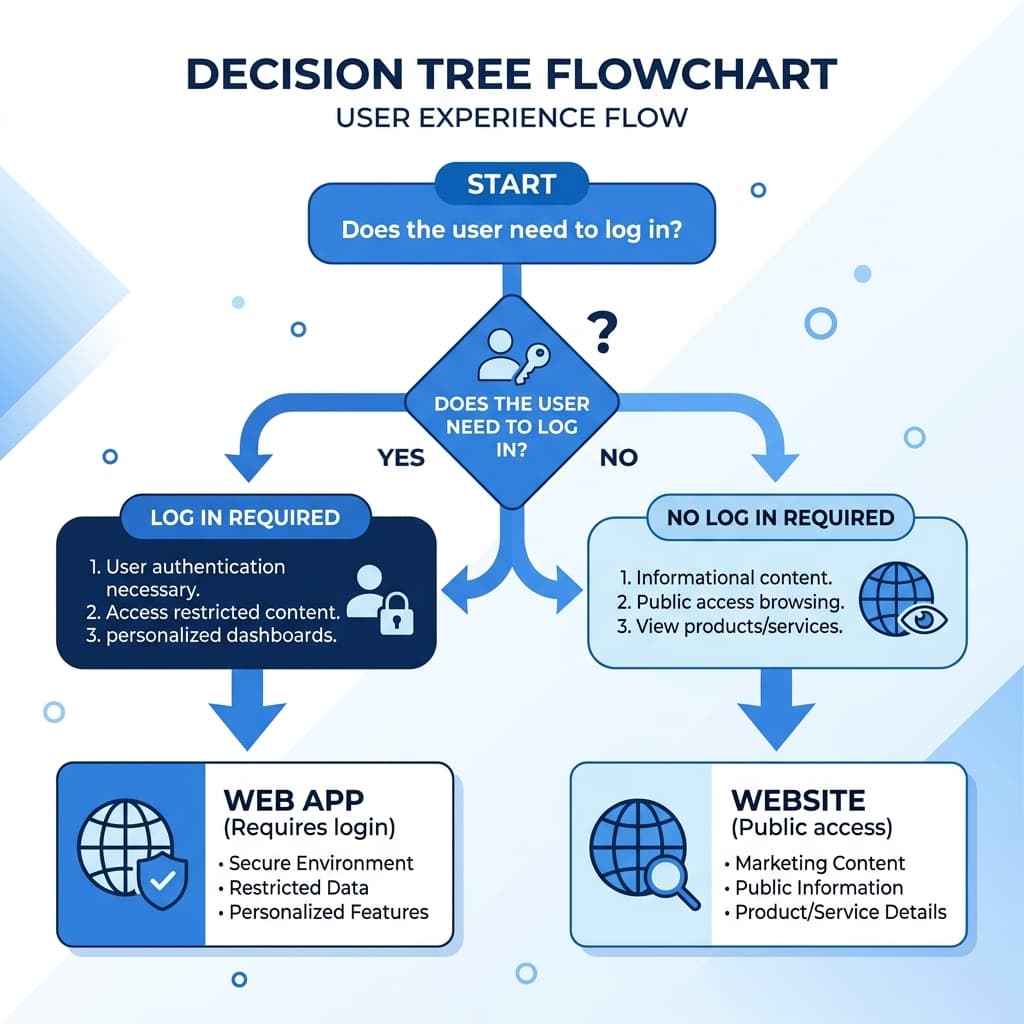
1. Does the user need to log in?
If your product is meaningless without a user account - saved data, personal dashboards, subscription access - you need a web app. If the goal is to get someone to read, browse, or contact you, a website is sufficient.
2. Is user-generated data core to the product?
If users create, store, or manipulate data (invoices, bookings, content, files), that data needs a backend. Web app territory.
3. Are you selling software-as-a-service - or selling your services?
An agency, consultant, or product company selling their own work typically needs a website first. A founder building a tool that others pay to use needs a web app.
4. What's your runway?
A web app built right requires proper architecture: authentication, database design, API structure, security hardening (adhering to standards like Vercel's security practices), and deployment pipelines. If you have 4-6 weeks and a tight budget, a polished website can generate leads and validate your offer while you plan the real build.
The honest shortcut: If you're at the "prove the idea" stage, build the website first. When users are asking "can I do X inside this?" - that's your signal to build the app. Scoping that validation phase tightly, with only the features needed to test your core idea, will save you time and money.
A Real-World Example: Two Founders, One Wrong Call
Consider two hypothetical founders - both B2B SaaS ideas, both early-stage.
Founder A runs a consulting firm that helps mid-market companies with supply chain audits. He wants to "build his platform." After a $40K investment, he has a web app with a client portal, document upload, and a reporting dashboard. Six months in: he has three clients, all of whom email PDFs anyway and never log into the portal. A $5,000 website with a strong case study page and a Calendly booking flow would have served him better at this stage.
Founder B is building a tool that lets e-commerce brands automate returns processing. Her MVP needs user accounts, Shopify API integration, conditional logic, and a reporting layer. She initially tried to "start with a simple website." Two months in, the developer explained why a static site couldn't do what she described. She lost eight weeks.
At D Tech, these are the exact conversations we have in discovery calls. The output - website or web app - follows from understanding what the product actually needs to do, not what sounds more impressive in a pitch deck. We outline this structured approach in our guide on How We Build Custom Web Apps for High-Ticket Clients.
When clients come to us with a fuzzy brief, the first question isn't "what tech stack do you want?" It's "what does a user do inside this thing?" That single question almost always clarifies the path forward.
Common Mistakes to Avoid
1. Over-engineering too early
Building a full web app to test a hypothesis is expensive. According to CB Insights research on why startups fail, building a product without market need is the number one cause of failure. A landing page + waitlist can validate demand in a week. Build software after you have evidence people want it.
2. Using a website builder when you need a web app
Webflow, Framer, and Squarespace are excellent tools for websites. They're the wrong foundation for anything that requires persistent user data or complex business logic. Don't let a no-code tool choice box you into an architecture you'll have to rebuild.
3. Confusing "interactive" with "web app"
A website can have animations, forms, calculators, even live chat - and still be a website. Interactivity doesn't automatically make something a web app. The line is whether data is being stored per user and acted upon over time.
4. Ignoring maintenance costs
Web apps require ongoing attention: security patches, dependency updates, infrastructure costs, and feature requests. Budget 15-20% of build cost annually for maintenance. Websites cost far less to maintain.
5. Hiring for the wrong deliverable
A freelancer quoting you a "website" when you described a web app workflow is a red flag. Make sure the person you hire can articulate the architecture they'll use and why - not just show you a portfolio of nice-looking pages.
Make the Right Call Before You Spend a Pound or Dollar
The website vs web app question isn't really a technical one. It's a product strategy question dressed in technical clothing. Answer "what does a user need to do?" honestly, match it against your timeline and budget, and the right choice becomes obvious.
If you're still unsure, that's what discovery calls are for. At D Tech, we help founders and business owners scope the right product from the start - not reverse-engineer a bad decision six months later. Whether you need a high-converting website or a production-ready web app, we build custom solutions for clients across the US, UK, EU, Australia, and UAE.

Book a free discovery call, or see how D Tech scopes websites and web apps for founders before a line of code gets written.